Spott


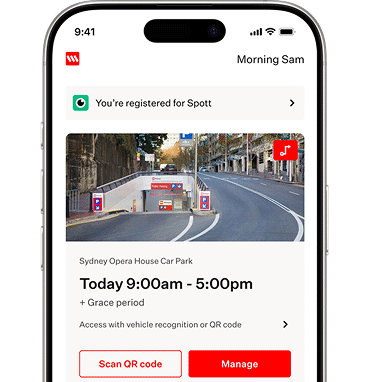
With Spott, you can drive in using vehicle recognition at any Spott enabled Wilson Parking location. No tap or ticket is required, enjoy easy access whether you choose to Prepay, Subscribe or just drive in.
Access the best price available for your park and extra benefits in the Wilson Parking App.
Find out more and join for free in the Wilson Parking App.

Vehicle Recognition
Enjoy seamless access with vehicle recognition
QR Code Technology
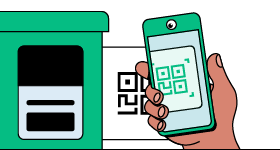
Or scan the QR code to enter and exit the car park
Easy Payments
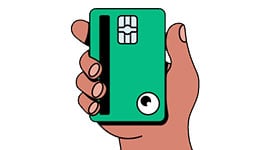
Linked to a stored payment card for easy payments
Frequently Asked Questions
How do I register for Spott?
Simply download the Wilson Parking App, follow the prompts to add your payment card and licence plate, turn on vehicle recognition and you are set
How do I enter and exit the car park?
When you enable vehicle recognition, our systems will recognise your vehicle automatically when you arrive at the car park. Our systems will detect if you have prepaid, have a monthly subscription or are a casual parker.
If you haven’t enabled vehicle recognition - or it’s not available at that car park, you can scan the QR code to enter instead:
1. Open the Wilson Parking App.
2. Tap the Scan button at the bottom of the screen.
3. Point your phone at the QR code on the entry column.
Don't worry - you can keep your windows up, the app will detect the QR code, even from a distance so no need to lean out to scan!
How do I pay for my parking?
Payments are made automatically through the Wilson Parking App, on your stored payment card. You can easily track payments on any active session, by opening the app and checking the home screen.
If you choose to prepay, or have a monthyl subscription, you can continue to use the same payment method, including Apple Pay. You will still need to store a physical payment card to pay for any additional casual parking at other car parks, or if you overstay your prepaid parking period.
How do I turn off vehicle recognition?
If you need to turn off vehicle recognition because someone else is using your vehicle, or you have access to parking as a tenant, or valdiated parker, you can do this at any time in the Wilson Parking App.
1. Go to Account › Vehicles.
2. Select your vehicle.
3. Scroll to the bottom of the screen and switch vehicle recognition off.
4. Tap Save.
Once disabled, you can still use Spott by scanning the QR code when you enter or exit a car park.